
If you care about your privacy and want to control who knows where you are, this step-by-step guide will show you exactly how to turn off location on Instagram and keep your whereabouts private
Why Should You Turn Off Location on Instagram?
Your location data reveals important details like where you live, work, or hang out. When location services are on, Instagram can:
- Automatically add location tags to your posts and stories
- Share your live location in direct messages
- Use location data to show you targeted ads and content recommendations
Turning off location access helps protect your privacy and prevents unwanted sharing of your location online
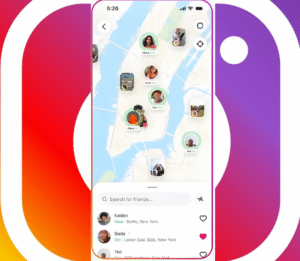
What Instagram Does With Your Location
Instagram lets you:
- Add location tags manually to posts and stories
- Use location stickers in stories
- Share live location in direct messages
- Allow Instagram to access your phone’s GPS for personalized content
Knowing how these features work helps you make smarter privacy choices.
How to Turn Off Location on Instagram
Block Instagram’s Location Access on Your Phone
- Open your phone’s Settings
- Go to Apps or App Permissions
- Find and tap Instagram
Select Location and choose Deny or Don’t Allow
-
Turn Off Location Services for Instagram (iOS & Android)
- For iPhone: Settings > Privacy > Location Services > Instagram > Select Never
For Android: Settings > Location > App Permissions > Instagram > Deny location access
-
Remove Location Tags From Old Posts
- Open your Instagram profile
- Choose posts with location tags
- Tap the three dots (•••) > Edit
- Tap the location name and remove it
-
Avoid Using Location Stickers in Stories
Skip adding location stickers before posting stories or remove them if already added.
-
Disable Live Location Sharing in Direct Messages
Check your DMs for any live location shares and turn off this feature manually.
Extra Privacy Tips to Keep Your Location Safe
- Regularly review Instagram’s privacy and location settings
- Inform your friends and followers about respecting location privacy
Use VPNs or privacy tools to mask your real location if needed
Frequently Asked Questions (FAQs)
Can I share my location temporarily without enabling full access?
Yes! You can add location tags manually on each post without giving Instagram full location permissions.
Will turning off location affect Instagram ads I see?
You might see fewer location-based ads, but Instagram will still show ads based on other data.
How can I confirm my location is really turned off?
Check your phone’s app permissions and review your posts to make sure no location tags remain.